
Gift Cards
Digital vs. Physical
While we believe the future is digital (gift cards) we also provide a range of API calls to issue and service physical gift cards as well.
To identify which brands support which types of transaction, please refer to the brand information within the hub or the information in the Brands API call.
TIPWe are also able to offer a Virtual Mastercard, our Reward Pass.
Digital Gift Cards
- Issue - Create a new digital gift card for a specific brand/value.
- Cancel / reverse - Some retailers allow their gift cards to be cancelled via the API.
- Balance Check - Some retailers provide real-time balance enquiries.
- Check Stock - Used to check the current/live denomination availability of fixed-denomination brands.
Real-time or asynchronous?
When issuing digital gift cards you have two types of API call available to you - the one that you choose to use primarily depends on how you intend to deliver the gift card to the user.
- Synchronous - this is the real-time API - the gift card (whether requested in the form of a Code or URL) will be returned in the API response.
- Asynchronous - this is two-step process, first send your request, then send a second call to collect the gift card (typically available within seconds).
On the face of it the synchronous call may seem like the obvious choice - you get immediate access to the gift card requested after all, but there are benefits to using the asynchronous API if instant display of the gift card to the user isn't necessary.
- Some brands only provide us with an asynchronous API - if you require the raw gift code (not a URL) this will only be available via the async endpoints.
- If there is a short-lived issue with the brand's API, Tillo will retry on your behalf.
- We will respond to your API request faster. Some brands' APIs are slower.
Identifying whether a brand is available synchronously
We have added an "async_only" flag on our brands call, which will return true if the brand is asynchronous, and false if the brand is synchronous. This flag allows you to determine whether or not you can request a code synchronously, and allows you the flexibility to implement both the asynchronous and synchronous endpoints.
Order Card async
asyncThe first request that you make will be to the order card endpoint. The request body for this is the same as our synchronous digital issuance endpoint. The response body, however is different. Instead of returning a code or URL, it will instead return a status, indicating whether or not we have received your order correctly. We will also return a reference to your order, which will be required when checking the status of your order.
TimeoutsYou may not always have access to the
referencefrom the response (such as when the request timed out).
In which case you can replay the original transaction by putting through another order using the sameclient_request_id
see Idempotency
Order Status
Order status is a GET request, which takes either the reference returned in the order card request or the original_client_request_id from your original order request. You can use either parameter, but not both together. This request will return a data.status of REQUESTED, PENDING, PROCESSING, SUCCESS or ERROR.
For asynchronous orders, this endpoint is a mandatory part of the process to retrieve the final gift card code or URL. For synchronous orders, this endpoint is typically not needed since the code/URL is returned immediately in the original response, but it can be useful if you experienced a timeout or network error during the original request.
Parameter OptionsYou can use either:
reference- The reference returned in the order card response (this is still supported and works as before)original_client_request_id- The originalclient_request_idfrom your order request (useful when you don't have access to the reference)Note: You cannot use both
referenceandoriginal_client_request_idtogether in the same request.
| Status | Description | Next Steps |
|---|---|---|
REQUESTED PENDING PROCESSING | The order was submitted to Tillo successfully | Wait before making another order status check. See our throttling documentation. |
SUCCESS | The order succeeded | The code or URL will be provided |
ERROR | There was an unrecoverable issue with processing your order | We will have automatically refunded you for your transaction. In the majority of cases you will be able to order the code from us again. |
Asynchronous brands via the Synchronous APIWe understand that you may want to use the synchronous API endpoint for all brands, regardless of whether that brand only provides an asynchronous API - as long as you request 'URL' delivery you can do this. When you request a 'URL' we generate the unique URL before we've received the gift card, allowing you to provide this to your user while we work in the background to fetch the gift card and update.
The gift card is normally viewable on the URL within a few seconds but if there is any delay and the user views the URL before we've received the gift card a message is displayed asking them to check back later.
You cannot request the 'Code' delivery method of an asynchronous brand using the synchronous/real-time endpoint, you would have to use the asynchronous request.
Balance Check
We support balance check functionality for certain Brands via an API call to the check-balance endpoint.
INFOBalance checking is not available on all Brands. You can determine whether a Brand supports the ability to balance check
if thetransaction_typesfield contains thebalance_checkvalue in the Brand Information endpoint response.
We offer balance check using a variety of identifiers; which identifier you use will be dependent on your use case but the reference or original_client_request_id from the issuance call are the most common. We provide examples for each case here API Reference examples for Balance Check.
Canceling Gift Cards
Not all brands support cancellation functionality. To determine if a brand allows gift cards to be cancelled, check the Brand Information endpoint response. If the brand supports cancellations, the transaction_types field will contain the cancelled_digital_issuance value.
INFOYou can find more information about transaction types in the Brand Information documentation.
Some brands may also have specific time windows within which cancellations must be made. This information is provided in the digital_cancellation_window field when using the detail=true parameter with the Brand Information endpoint.
To cancel a digital gift card, you will need to provide the original_client_request_id from your original issuance request, plus either the gift card code or URL depending on the delivery method used in the original transaction:
- For code delivery: Provide the
original_client_request_idand the gift card code - For URL delivery: Provide the
original_client_request_idand the gift card URL
If your original issuance request timed out, first check the Order Status to confirm the gift card was issued and retrieve the necessary details for cancellation.
For complete details on required parameters and request format, see the API Reference examples for cancellation.
TIPReconciliation Best Practice
To make reconciliation easier, we recommend using an identifier that includesoriginal_client_request_idwhen making cancellation requests. For example:cancellation_<original_client_request_id>. This helps you track which cancellation corresponds to which original order, making your accounting and reconciliation processes much smoother.
Displaying gift cards
It is very important that digital gift cards are displayed to the end user in the template that has been signed-off by the brand. The templates have been designed by or with the brand, and optimised to work well in email as well as being mobile-responsive to scale down to small screens, along with having specific redemption instructions or Terms & Conditions.
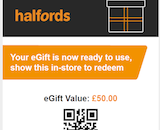
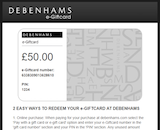

The simplest option is to either request the 'URL' from us or instruct us to email the digital gift card to your customer/user directly.
Alternatively you can use our Templates API to programmatically download every brand template and import in to your own system. This will ensure you are always using the latest version of the template. We strongly advise against manually maintaining the templates as they change on a regular basis (typically one per week receives an update).
TIPIf you are not using the URL delivery method or implementing the templates it is unlikely your API integration will be certified, unless you have
a specific/unique use case or agreement from each brand you plan to issue.
Barcodes
Some retailers require a barcode or QR code and some of these retailers require manipulation of the gift code to produce the barcode 'number', such as having a prefix, dropping some digits, or adding the PIN. To remove this complexity from our clients we return the barcode information in our Issue response data.
"barcode": {
  "type": "CODE128",
  "string": "ABS1234567",
  "url": "https://revealyourgift.com/barcode?number=ABS1234567width=300&height=60"
}
You can choose to create the barcode within your own platform, based on the type and string (e.g. Code 128, "ABC1234567") or simply embed our returned Barcode URL in an img tag.
Fulfilment
You will need to tell us who should be delivering the digital gift card to the recipient.
To do this, set the fulfilment_by to'
- rewardcloud if Tillo are sending the digital gift card to your recipient's email; or
- partner if you are going to be delivering it (either via email or displayed in your application).
Email configuration
When using Tillo to send the email, you can specify the 'from' email address in your request. You can use our [email protected] address but most clients will want to use their own domain name to send the emails so that their users recognise the sender. Our mail service can make use of your domain by giving us authorisation to send on your behalf using DNS entries (DKIM & SPF records).
The steps to set this up are as follows;
- Let Tillo know what domain you want to use.
- Tillo will configure our mail service to be aware of your domain and supply you with DKIM and SPF records.
- You add the DKIM record and update your SPF record.
- Tillo send an authorisation email from the mail service - please forward that to [email protected].
- Use the API to test the emails are received correctly.
TIPWithout following these steps, if you use your own domain in the 'from' address your emails will be rejected as they will appear to be spam.
Personalisation
Many of the brand templates support personalisation for the end recipient. This isn't appropriate for every use case, so the personalisation information is optional, but if you want to address the end recipient and add a personal message you can do so.
Available fields
- To Name
- From Name
- Message
TIPYou can use a formal title & full name or just use part of their name e.g. Mr Bloggs, or Joe Bloggs or just Joe
Checking "stock"
While retailers do endeavour to ensure all denominations are always available there can be times when a specific denomination may not be available. We send out notifications when this occurs, but it can provide a more seamless experience for your customers if you implement this call and call periodically e.g. once per hour.
INFONot all brands support stock checking. If the
gc_poolvalue in the Brand Information endpoint response isfalse, stock checks are not supported and the request will return a validation error.
Choice Links
A Choice Link is a URL which is loaded with a balance, which can be 'cashed out' or 'redeemed' for a number of different Gift Cards.
The Gift Cards available on a Choice Link depends on the configuration of the Choice Link as well as the configuration of your account.
To identify a Choice Link in your Brands API response, look for the type key. Regular brands will have a type of gift-card, and Choice Links will have a type of choice-link.
In the Brands API response, a Choice Link will also display a list of the Brands it can be redeemed for:
"choices": [
    "amazon",
    "halfords",
    "ask-italian",
    "costa"
],
TipThe returned
choiceswill not automatically contain all brands available on a Choice Link.
Only approved brands that you have added to your account will be returned.
Visit the Choice Link's details page in the hub to see which brands may need to be added or requested for approval.
Choice Link Theming
Choice links can be themed to match your brand colors and logo. To set up choice link theming, please contact your Tillo account manager.
You can either have an active theme for all choice links that are created, or when making an API issuance request, you can select a specific theme to be applied to that choice link.
{
    "personalisation": {
        "choice_link_theme": "your_theme_reference",
    },
}
Physical Gift Cards
Available actions;
- Activate - Fund and activate a blank physical gift card - this is used when you're holding the stock and shipping it to your customer.
- Top-up - Some retailers provide cards that can be topped up (reloaded) with additional funds.
- Cancel Activation - If the card has not been used, it can often be cancelled.
- Cancel Top-up - If the top-up amount has not been spent, it can often be removed from the card.
- Balance Enquiry - Some retailers provide real-time balance enquiries.
- Order card - Tillo are able to delivery orders for physical gift cards that are sent to the recipient you specify in the API call.
Real-time transactions
When using our API to activate, top-up or cancel gift cards your customers benefitting from a real-time process. There are no overnight batch-processes here, no handling exception cases if the top-up fails and you don't find out until the next day.
Fulfilment/Delivery
We provide an API call to order individual physical cards to be shipped to the end recipient. This is handled using the "Order card" API call and you will need to provide the full name and address where the card should be shipped.
There is an additional per-order shipping cost to cover the fulfilment charges.
Once you have submitted the order you can query the status of the order via a second API call to determine if it has been processed or shipped.
TipIf you're interested in using our API to order delivery of gift cards get in touch so we can discuss the options.
Updated 3 months ago